Struggling to Hear on Video Calls? Causes & Easy Fixes
Struggling to hear on Zoom, Google Meet or Teams? Learn why video calls are hard to follow, easy fixes to try today and when to get a hearing test.
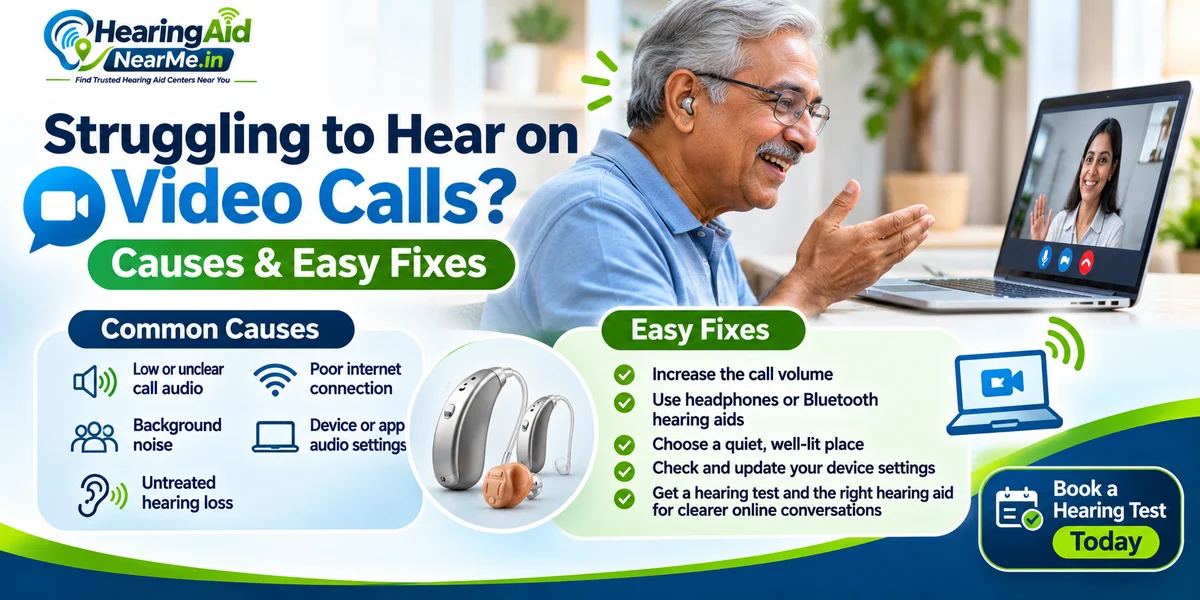
Hard to Hear on Zoom, Google Meet or Teams? Why Video Calls Are Tougher Than You Think
Overview
If you struggle to hear on video calls, the cause could be the technology, your hearing, or a mix of both. Online meetings on Zoom, Google Meet, Microsoft Teams and WhatsApp are genuinely harder to follow than a face-to-face chat, so a few simple changes often make a big difference. But if you keep missing words, often ask people to repeat themselves, or finish every call feeling mentally drained, it is worth getting your hearing checked.
This guide explains why video calls are tougher on your ears, how to work out whether the problem is the call or your hearing, quick fixes you can try today, when to see an ENT doctor, and how hearing aids can help you stay connected.
Why Video Calls Are Harder to Hear
Even people with perfectly healthy hearing find online meetings more tiring than speaking in person. Here is why:
Compressed audio. Calling apps squeeze sound so it can travel quickly over the internet. In the process, some of the fine detail in speech, especially soft consonants, gets lost.
Tiny speakers. Laptop, tablet and phone speakers are small, often point away from you and can sound thin or tinny.
Weak visual cues. We all rely on lip movements and facial expressions more than we realise. A frozen screen, dim lighting or a slight delay between lips and voice takes that support away.
Background noise from other people. Fans, traffic, pressure cookers and echoey rooms all travel down the line along with the speaker’s voice.
Unstable internet. Choppy or delayed audio is common on weak Wi-Fi or mobile data, and it makes words harder to catch.
Is It the Call or Your Hearing?
Hearing changes, whether from ageing, noise exposure or other causes, often begin with high-pitched sounds. Consonants such as “s”, “f” and “th” sit in this higher range, which is why many people say they can tell someone is talking but cannot quite make out the words. Compressed call audio blurs the same sounds, so the two problems stack on top of each other.
The simplest check is to ask yourself whether the difficulty follows you off screen. Common signs of hearing loss include:
Finding it hard to follow phone calls
Struggling in group conversations or noisy places such as weddings, restaurants and markets
Asking people to repeat themselves often
Keeping the TV or phone volume higher than other people do
Feeling tired or stressed after listening for a long time
If video calls are just one of several situations where you strain to listen, your hearing may be part of the picture. You are not alone either. The World Health Organization estimates that more than 1.5 billion people worldwide live with some degree of hearing loss.
Easy Ways to Hear Better on Video Calls
Before anything else, try these simple fixes:
Use headphones or earphones instead of your device speaker. They bring the sound closer to your ears and block out the room around you.
Switch on live captions. Zoom, Google Meet and Microsoft Teams all offer them, giving you a written backup whenever a word slips past.
Pin the speaker’s video and ask others to keep their cameras on. A large, well-lit face makes lip-reading and following expressions far easier.
Check your connection. Sit closer to your router, use a wired connection if possible and close other apps or devices that eat up data.
Join from a quiet spot. Choose a room with fewer echoes and ask others to mute themselves when they are not speaking.
Ask for one speaker at a time. Requesting that people take turns, or share key points in the chat, helps you keep up.
When to See an ENT Doctor First
Consult an ENT specialist before anything else if the change in your hearing came on suddenly, affects only one ear, or comes with ear pain, discharge, dizziness, ringing or a blocked feeling. These symptoms can be linked to problems such as an ear infection or wax build-up that need medical attention, and sudden hearing loss should always be treated as urgent.
If your hearing has changed slowly over months or years, a hearing test with a qualified, RCI-registered audiologist is the simplest next step. The test is quick and painless, and it shows whether your hearing has changed and by how much. If your hearing turns out to be normal, you will know the problem lies with the calls. If it has changed, your audiologist can explain your results and talk you through your options without any pressure.
How Hearing Aids Can Help on Video Calls
If hearing aids are recommended, many modern models come with Bluetooth. This lets call audio stream straight into both ears instead of playing through a small speaker, which can make voices clearer and easier to follow.
Some hearing aids connect directly to a smartphone, tablet or laptop, while others need a small accessory to work with a computer. It helps to tell your audiologist how much time you spend on video calls, whether for work, online classes or catching up with family, so they can suggest options that fit your routine. Also ask about trial periods, aftercare and adjustments, because a good fit and fine-tuning matter just as much as the device itself.
Conclusion
Struggling to hear on video calls is very common, and it is not always about your hearing. Headphones, captions, better lighting and a stable internet connection solve a lot of problems. But if calls are one of several situations where you find yourself straining, a hearing test is a calm, simple way to find out what is really going on.
Hearing Aid Near Me can help you find a qualified audiologist and explore hearing aid options close to you. Book your hearing test today and get a clear answer.
Key Points
✔ Video calls compress sound and remove many visual cues, so they are harder to follow for everyone.
✔ Headphones, live captions and a pinned speaker view are quick wins you can try today.
✔ If you also struggle on phone calls, in group conversations or in noisy places, your hearing may have changed.
✔ See an ENT doctor first for sudden hearing loss, hearing loss in one ear, ear pain, discharge or dizziness.
✔ A hearing test with a qualified audiologist gives you a clear answer, and Bluetooth hearing aids can stream call audio straight to your ears.
FAQs
1. Is it normal to struggle to hear on video calls?
To some extent, yes. Call audio is compressed, device speakers are small and the picture often lags, so online meetings are harder to follow even with good hearing. It is worth getting checked if it is becoming harder than it used to be, or if you also struggle on phone calls or in groups.
2. Why can I hear someone talking but not understand the words?
Hearing changes often start with high-pitched sounds, where consonants such as “s”, “f” and “th” sit. Compressed call audio can blur those same sounds, so a voice may seem loud enough but still sound unclear.
3. How do I know if it is the call or my hearing?
See whether the problem follows you off screen. If you often miss words on the phone, in noisy places or in group conversations, or if you turn up the TV more than others do, your hearing may have changed. A hearing test will tell you for sure.
4. What can I do to hear better on Zoom, Google Meet or Teams?
Use headphones instead of laptop speakers, turn on live captions and pin the speaker’s video so their face stays large and clear. Sitting closer to your router or using a wired connection can also reduce choppy audio.
5. When should I see an ENT doctor?
See an ENT specialist promptly if you notice a sudden change in your hearing, hearing loss in only one ear, or ear pain, discharge, dizziness or ringing. These symptoms need medical checking before a hearing test or hearing aids.
6. Can hearing aids connect to video calls?
Yes. Many modern hearing aids offer Bluetooth, so call audio can stream directly into your ears. Some connect straight to a phone, tablet or computer, while others need a small accessory to work with a laptop. An audiologist can recommend options based on how you use video calls.
7. Where can I get a hearing test near me?
You can visit a qualified audiologist or hearing clinic in your city. Hearing Aid Near Me can help you find a trusted professional close to you and book your hearing test.
More from this section


Web Stories
More stories › कान में खुजली: कारण, सुरक्षित उपाय और डॉक्टर की सलाह
 iPhone 18 Still Has No Auracast: Hearing Aid Impact
 कान में सनसनाहट (टिनिटस): कारण, इलाज और राहत के उपाय
 कानात दडे बसणे: कारणे, लक्षणे आणि उपचार
 Flysound Comfort Pro: OTC AI hearing aid with remote mic
 Nuance Audio Plus: New Hearing Glasses Explained
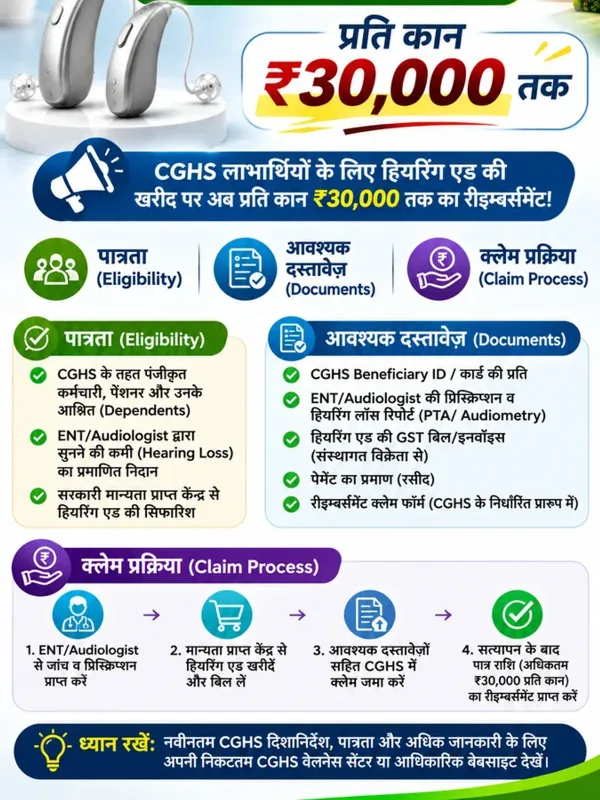 CGHS हियरिंग एड रीइम्बर्समेंट 2026: प्रति कान ₹30,000 तक, पात्रता, दस्तावेज़ और क्लेम प्रक्रिया
 Widex Allure AI RIC Explained: What On-Demand AI Hearing Aids Mean for Buyers in India
 आजी-आजोबांसाठी कोणती आरोग्य मशीन? मार्गदर्शन
 ब्रेकिंग न्यूज: श्रवणयंत्रावर 50% सूट | व्हिआर स्पीच अँड हिअरिंग क्लिनिक, अहिल्यानगर
Reader Comments
Comments are reviewed by our desk before they appear. Sign in with your mobile number to join the discussion.